> For the complete documentation index, see [llms.txt](https://iptuns.gitbook.io/docs/llms.txt). Markdown versions of documentation pages are available by appending `.md` to page URLs; this page is available as [Markdown](https://iptuns.gitbook.io/docs/di-san-fang-ji-cheng/zhi-wen-liu-lan-qi-ji-cheng/adspower-ji-cheng-shi-yong-jiao-cheng.md).
# AdsPower集成使用教程
{% hint style="warning" %}
平台的所有代理产品均需要在海外网络环境下使用,海外网络环境需要客户自行配置。
{% endhint %}
本教程将介绍如何在 **AdsPower防关联浏览器** 中配置 **Iptuns** 代理IP,实现安全、隔离的多账号管理环境。
{% hint style="info" %}
动态住宅IP的使用方式和静态住宅IP的使用方式一样
{% endhint %}
#### 步骤一:下载并安装AdsPower浏览器
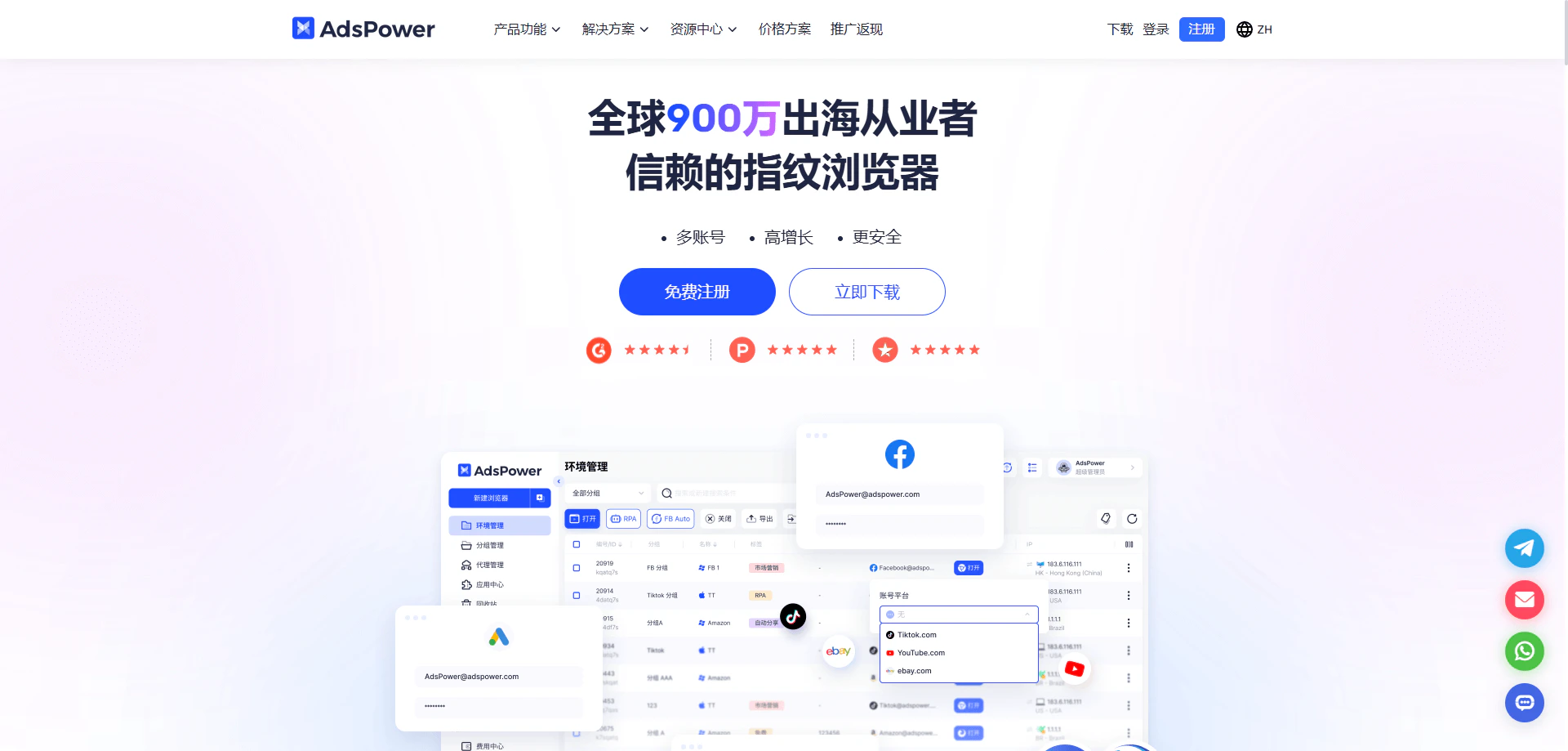
访问 **AdsPower官网** ,注册账号并下载客户端,完成安装后打开客户端。
 #### 步骤二:创建新浏览器配置文件
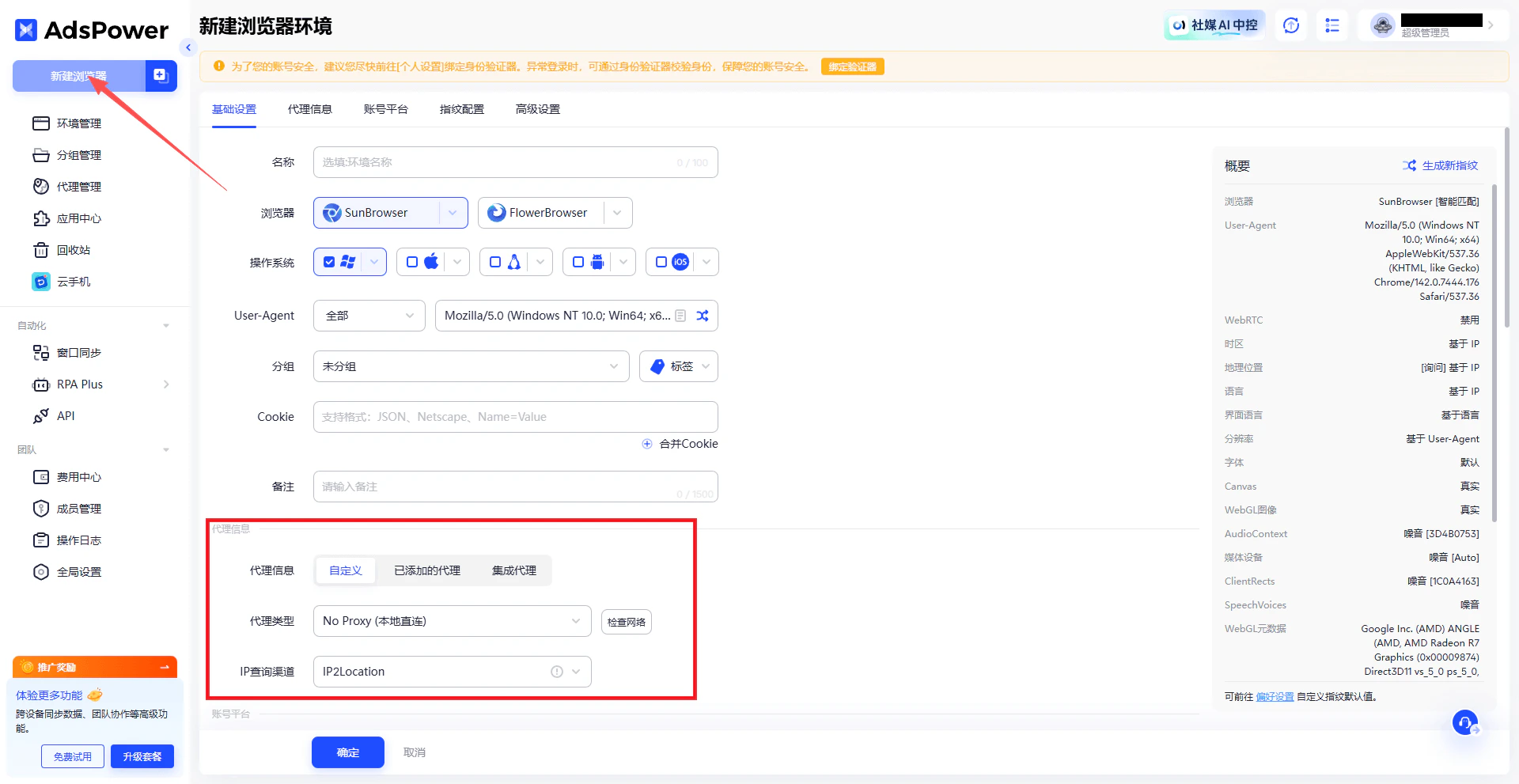
在AdsPower客户端中,点击 **新建浏览器**,填写必要的基本信息(如名称、分组等)。在 **代理配置** 部分,代理方式建议选择 **自定义**。
#### 步骤二:创建新浏览器配置文件
在AdsPower客户端中,点击 **新建浏览器**,填写必要的基本信息(如名称、分组等)。在 **代理配置** 部分,代理方式建议选择 **自定义**。
 #### 步骤三:选择代理协议类型
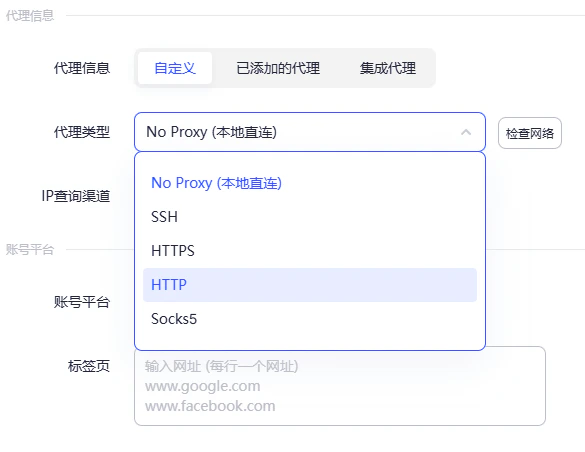
在代理设置中,选择代理协议。\
**请注意:** Iptuns 目前支持 **HTTP** 和 **SOCKS5** 两种代理协议,请根据实际需求选择。
#### 步骤三:选择代理协议类型
在代理设置中,选择代理协议。\
**请注意:** Iptuns 目前支持 **HTTP** 和 **SOCKS5** 两种代理协议,请根据实际需求选择。
 #### 步骤四:获取Iptuns代理信息
登录 [Iptuns代理平台](https://iptuns.com/),进入 **静态住宅代理** 页面,查看并复制您的代理信息(服务器地址、端口、账号、密码)。
#### 步骤四:获取Iptuns代理信息
登录 [Iptuns代理平台](https://iptuns.com/),进入 **静态住宅代理** 页面,查看并复制您的代理信息(服务器地址、端口、账号、密码)。
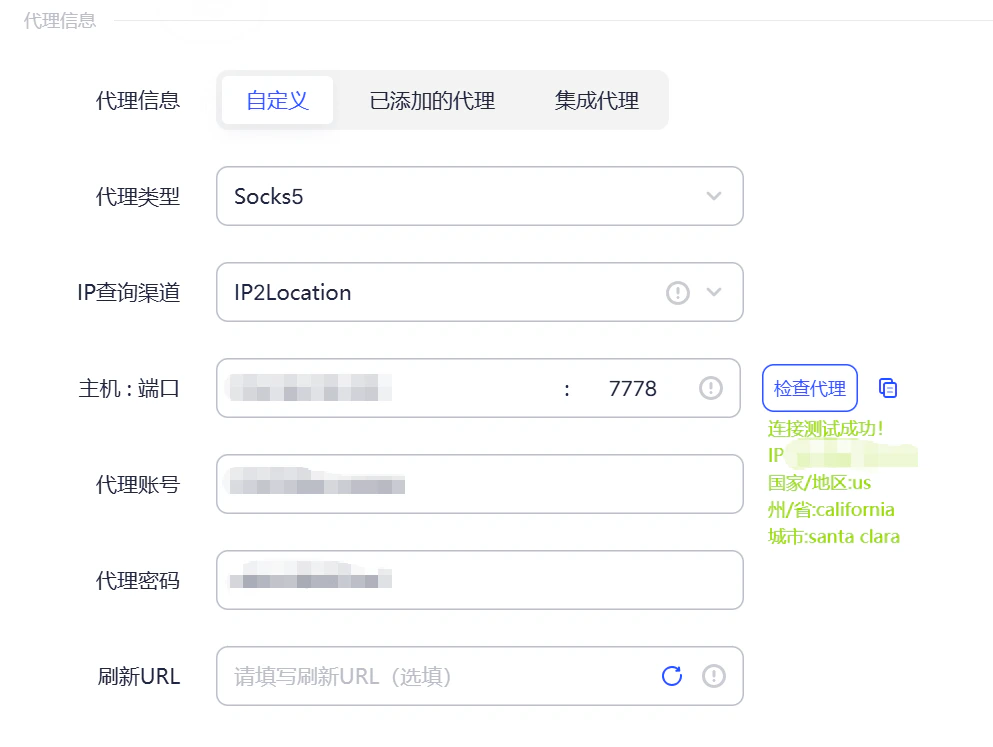
 #### 步骤五:填写代理信息并连接系统代理
将复制的代理信息填入AdsPower代理设置中。例如:
* 服务器地址:`123.22.221.11`
* 端口:`2222`
* 账号:Iptuns
* 密码:`12345678`
#### 步骤五:填写代理信息并连接系统代理
将复制的代理信息填入AdsPower代理设置中。例如:
* 服务器地址:`123.22.221.11`
* 端口:`2222`
* 账号:Iptuns
* 密码:`12345678`
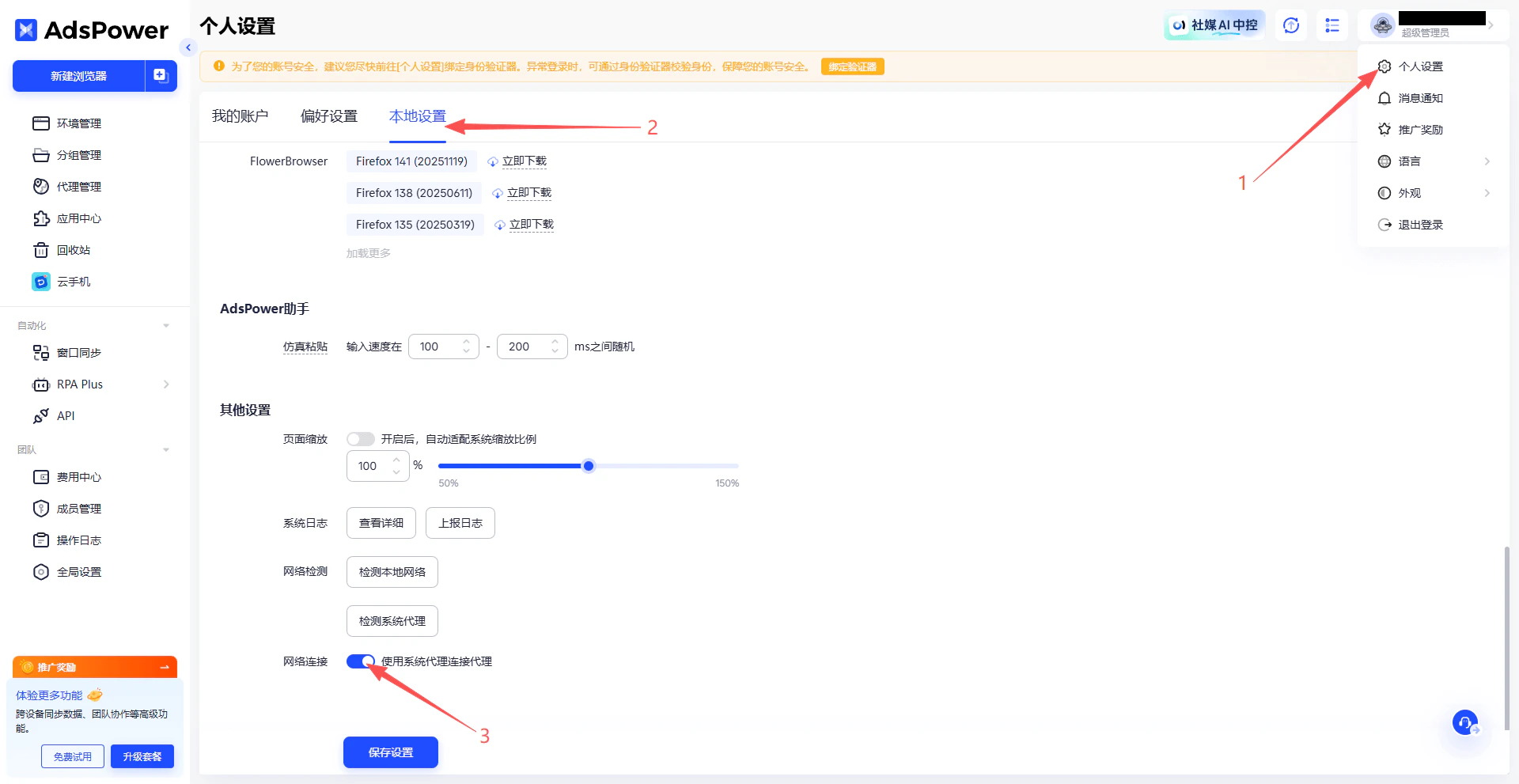
 填写后,进入 **账号 > 个人设置 > 本地设置**,在 **其他设置** 中打开 **系统代理连接代理** 选项。
 填写完毕后,点击 **检查代理** 按钮,确保代理IP可正常连接
 #### 步骤六:保存并启动浏览器
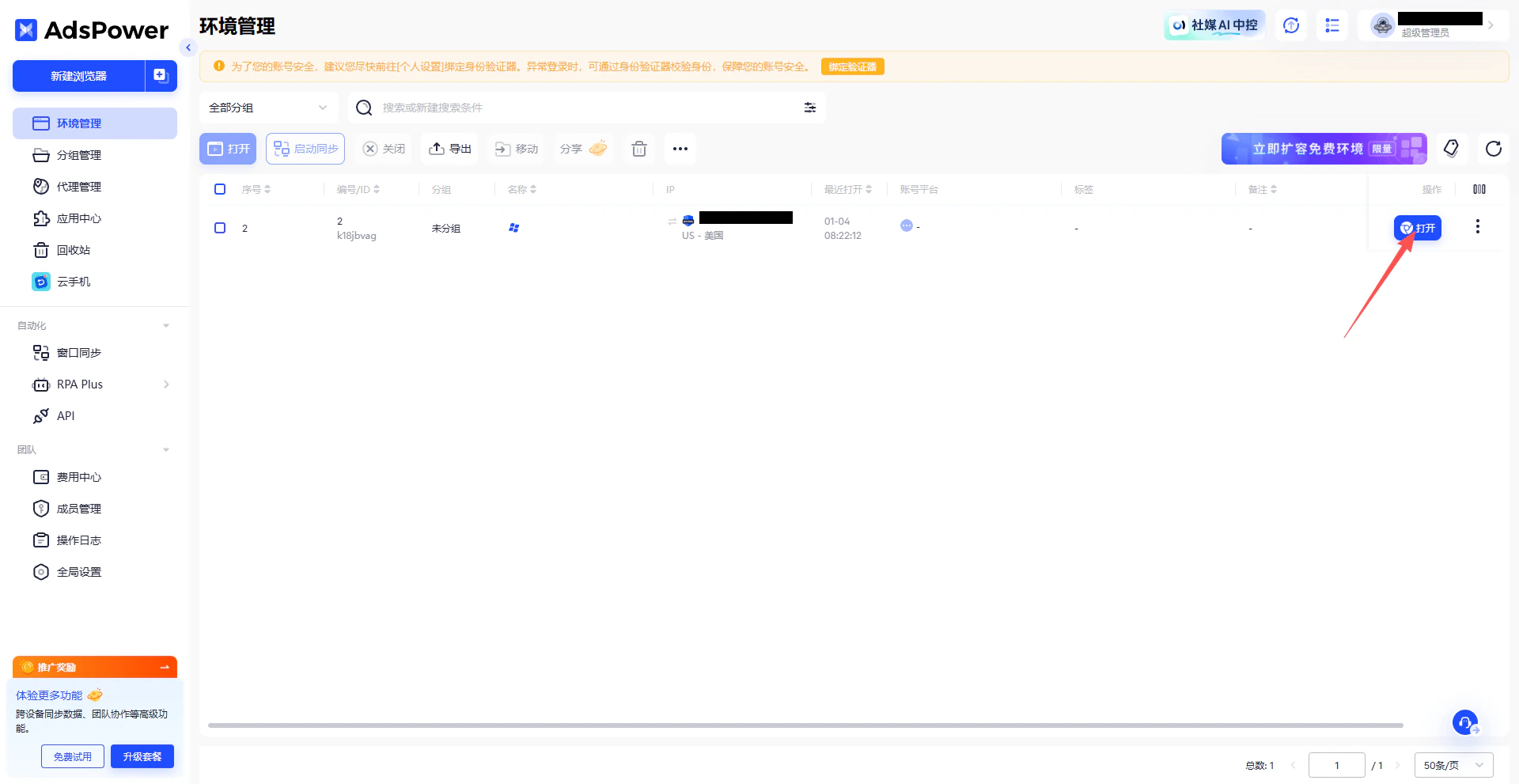
点击 **确定** 保存配置。返回账号列表,找到刚创建的配置,点击 **打开** 启动浏览器。
#### 步骤六:保存并启动浏览器
点击 **确定** 保存配置。返回账号列表,找到刚创建的配置,点击 **打开** 启动浏览器。
 #### 步骤七:验证代理IP
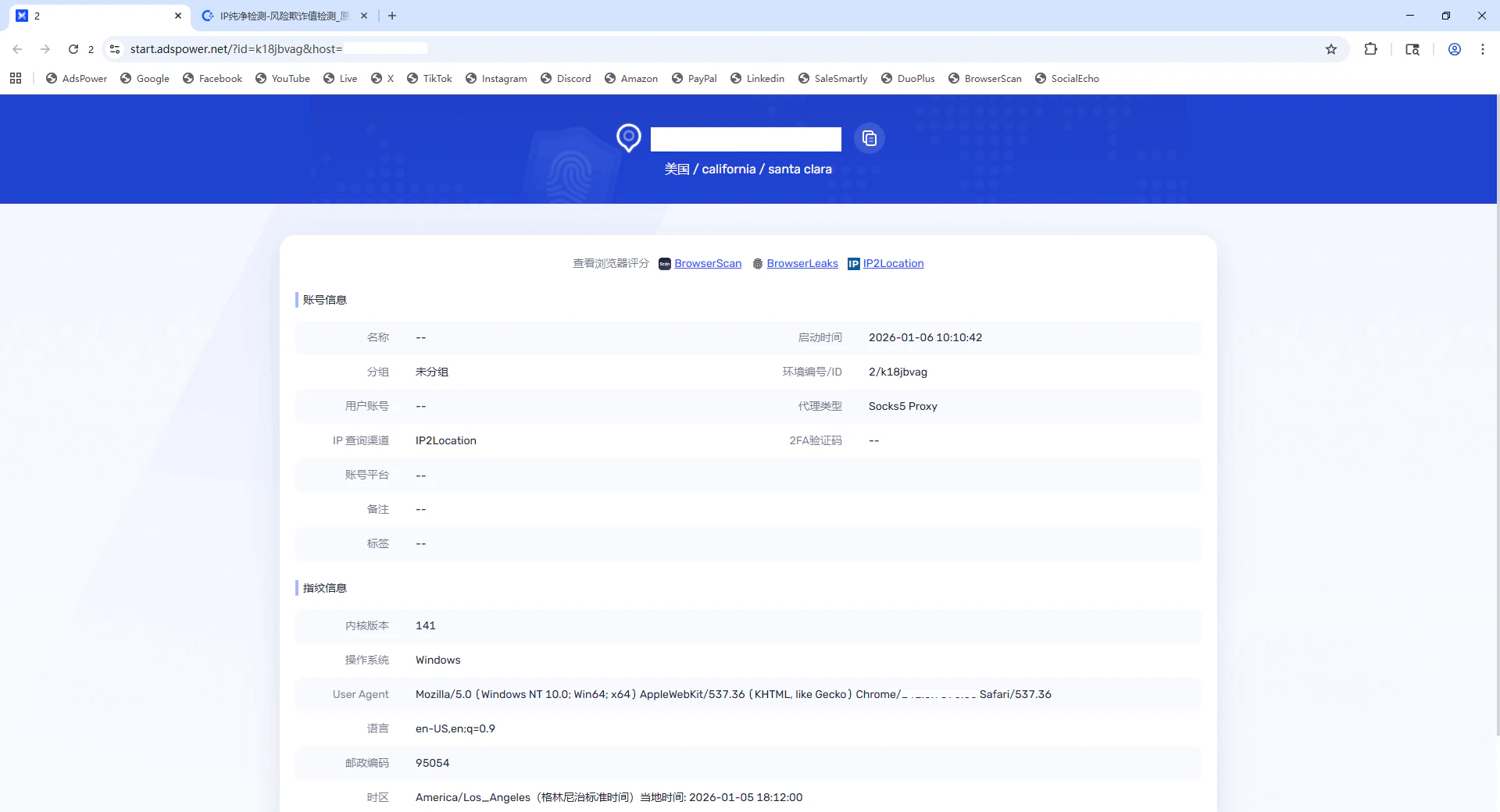
在打开的浏览器中访问IP检测网站,确认显示的IP地址与Iptuns提供的代理IP一致。
#### 步骤七:验证代理IP
在打开的浏览器中访问IP检测网站,确认显示的IP地址与Iptuns提供的代理IP一致。
 ✅ **至此,已成功在AdsPower防关联浏览器中配置了Iptuns代理,可开始进行安全的跨账号操作。**